Coming soon: AI, Solid Geometry & More Accurate Earthwork Takeoffs
August 20, 2026
Elevation Pro 2027.0 is coming this fall with major advances in earthwork, built-in AI, document access, utility takeoff, and productivity—helping estimators work faster, catch issues earlier, and produce quantities with greater confidence.
The New Indisputable Standard for Earthwork Calculations
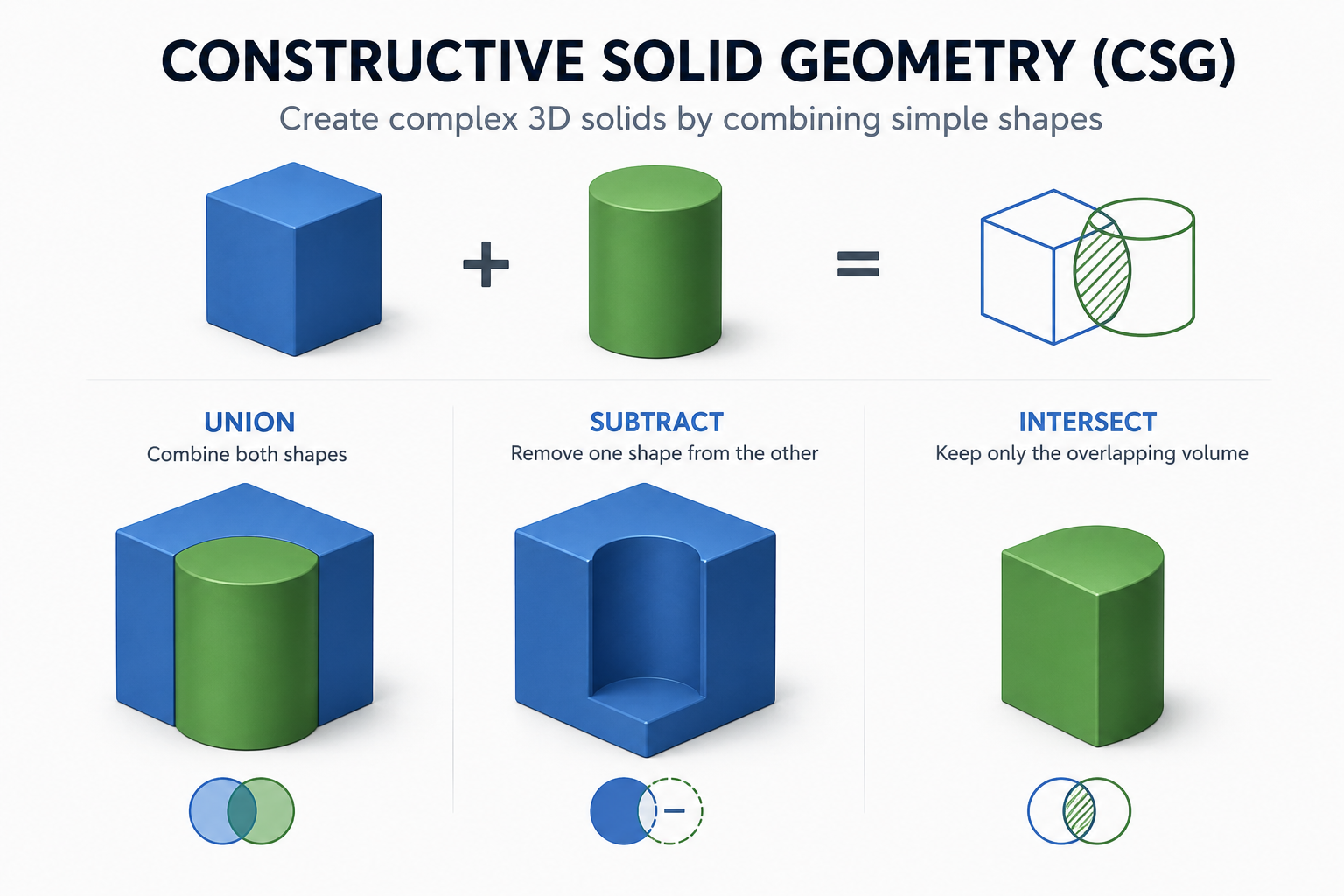
Elevation Pro 2027.0 introduces a new solid-geometry engine powered by Constructive Solid Geometry (CSG).
Instead of estimating volume from points sampled across a grid, or averaging cross sectional areas, the new engine calculates geometric volume directly between the project’s complete 3D surfaces within defined boundaries. This captures grade changes that can fall between grid points or cross sections, delivering more detailed, reliable, and defensible cut-and-fill quantities.
That difference is especially important on modern grading projects, where ponds, pads, ditches, slopes, subgrades, stripping areas, and complex site transitions can change significantly over short distances. By calculating directly from the geometry of those surfaces, Elevation Pro gives estimators greater confidence that their quantities reflect the shape of the job.
Solid geometry also expands Elevation Pro’s capacity for larger, more complex projects by preserving calculation detail without requiring a coarser calculation grid. It provides a stronger technical foundation for future capabilities and continued product development.
More Flexible Utility Takeoff
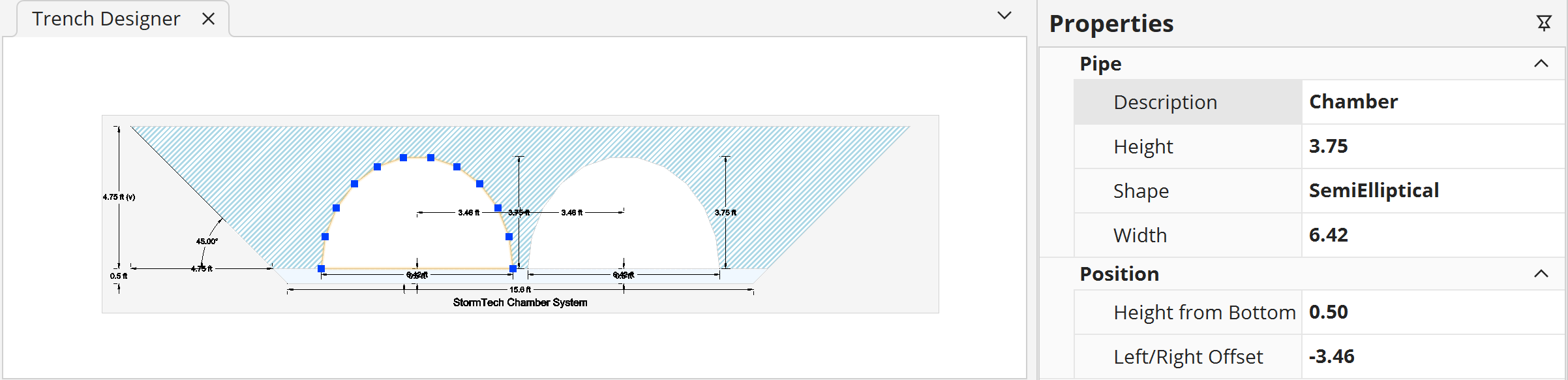
Elevation Pro 2027.0 expands utility takeoff with support for additional pipe shapes, including:
- Rectangular
- Elliptical
- Semi-Elliptical
- ERCP
The release also adds support for rectangular structures.
By default, a structure’s top, or rim, elevation will match the Proposed surface automatically. You can still enter a manual override when a project requires a different elevation.
Select Linework with Fewer Clicks
Enhanced linework selection tools will make it easier to follow the portions of plan linework you need, reducing repetitive point-by-point selection when tracing curbs, subgrades, and similar features.
We’ll take a closer look at these tools in an upcoming E-Pro News update.
Customize Your Workflow with Hotkey Manager
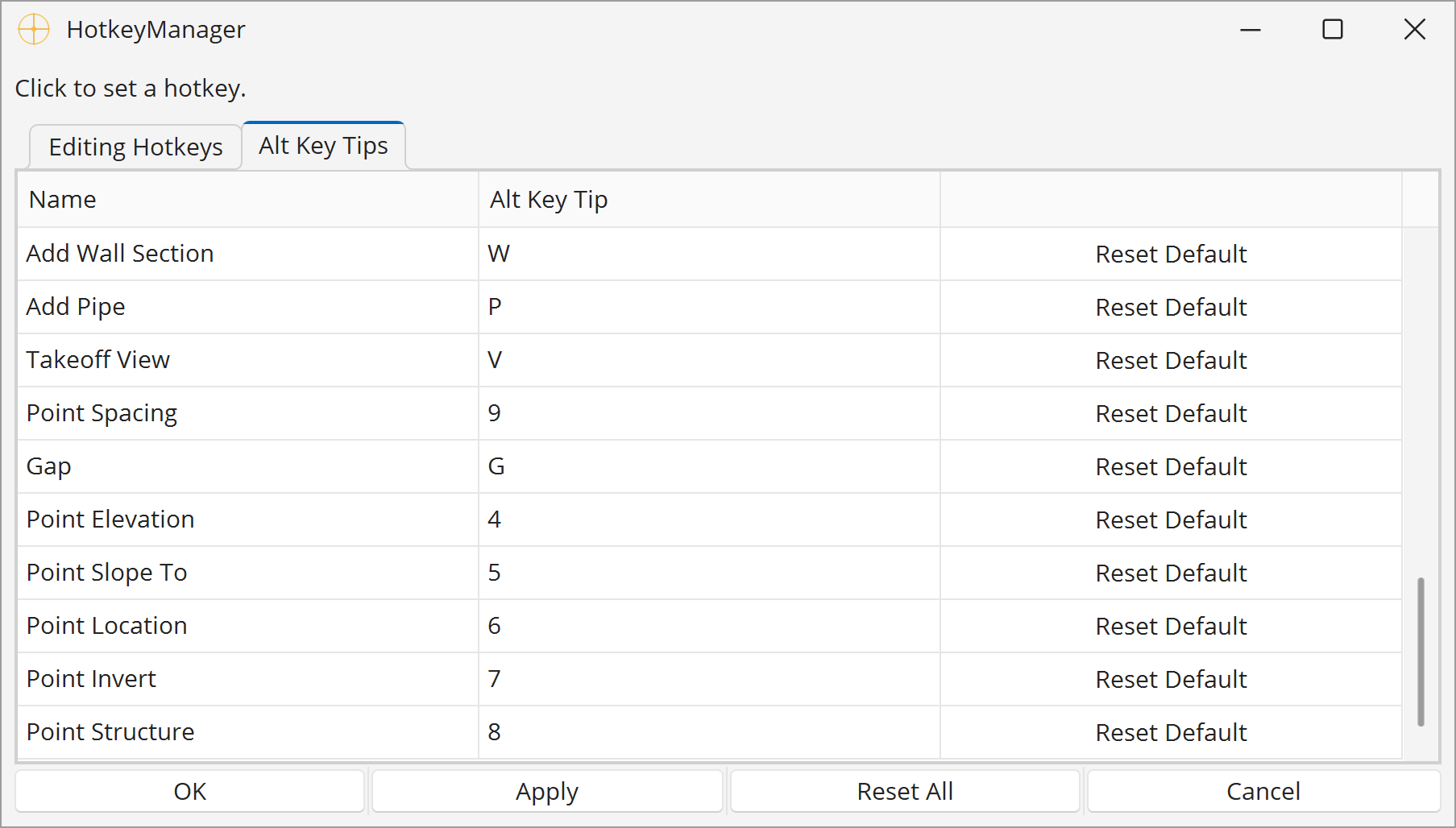
The new Hotkey Manager lets you customize shortcuts for editing, point entry, and common ribbon bar commands.
Put frequently used actions within easy reach to reduce clicks, mouse travel, and repetitive work throughout the estimating process.
Keep Aligned Documents Within Easy Reach
The new Aligned Documents Viewer keeps important source plans within easy reach while you work.
Quickly find and reopen previously aligned PDF pages and CAD files without searching through folders or interrupting your workflow. If a source file has moved, Elevation Pro can help you locate it again.
More Improvements Across Elevation Pro
The release includes practical improvements throughout Elevation Pro. With 2027.0, you can:
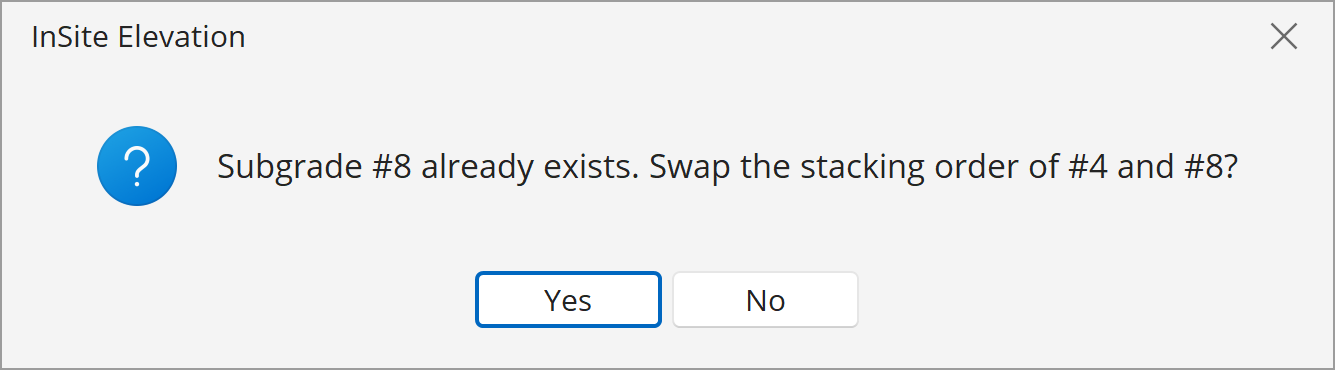
- Renumber and reorder subgrade and stripping items
- Work more efficiently with enhancements to the Materials Catalog and reporting tools
- Read sloping-line information more clearly with improved labels
- Continue drawing from extisting path (Sloping Line, Contour, etc.)
- Visualize utilities more effectively in 3D Live
You’ll also find additional workflow, performance, and usability improvements throughout the application.
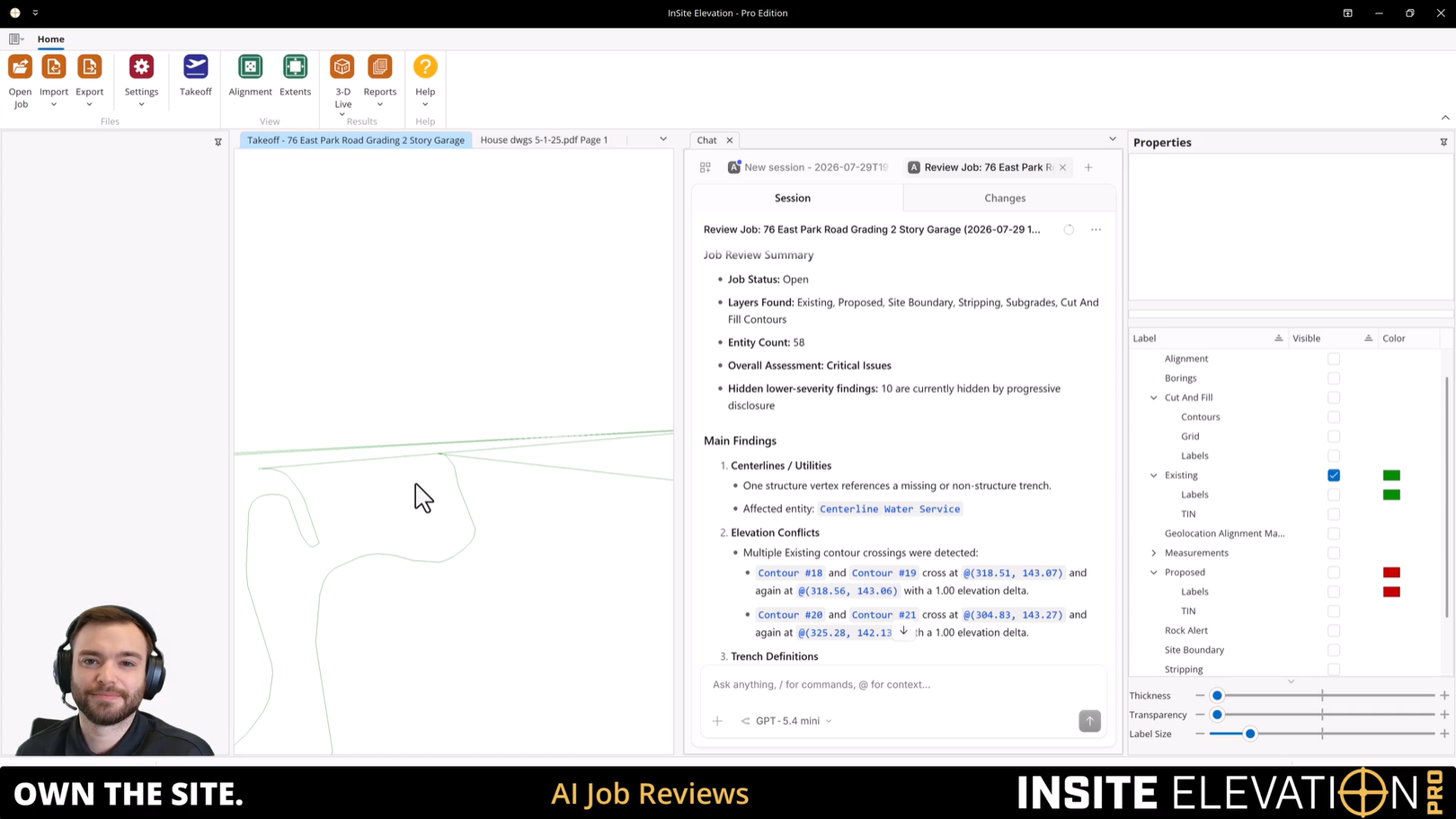
Work Smarter with AI Built Into Elevation Pro
Elevation Pro’s built-in AI Assistant can help you find information, review your work, and identify potential problems before they become costly mistakes.
With AI Assistant: Chat, you can ask questions and get help without leaving your job.
Before submitting an estimate, AI can review your job, prioritize the most important findings, and use clickable locations and screenshots to show you exactly where to look.
AI Review checks now include:
- Cut & Fill areas
- Surface completeness and elevation conflicts
- Subgrade and stripping setup
- Boring and strata data
- Centerline and trench definitions
- Invalid or self-intersecting geometry
The Assistant communicates using the actual names of objects in your job, making its responses easier to understand. When providing guidance, it can also cite the relevant sections of the Elevation Pro User Manual so you can see where the information comes from.
Coming This Fall
Elevation Pro 2027.0 combines a major advance in calculation technology with practical improvements built around the way sitework estimators work every day.
Stay tuned to E-Pro News for demonstrations, feature previews, and release information as we get closer to launch.